Appearance
Sampler Nodes
Sampler nodes either generate new point sets by reading external data sources (terrain heightmaps, meshes, textures) or annotate an existing point set with sampled values. They are found in the Samplers category of the node picker.
Unlike the pure generator nodes, most sampler nodes interact with Unity scene objects (Terrain, Colliders, Mesh assets, Texture2D). Refer to each node's Notes section for any asset import requirements.
Surface Sampler
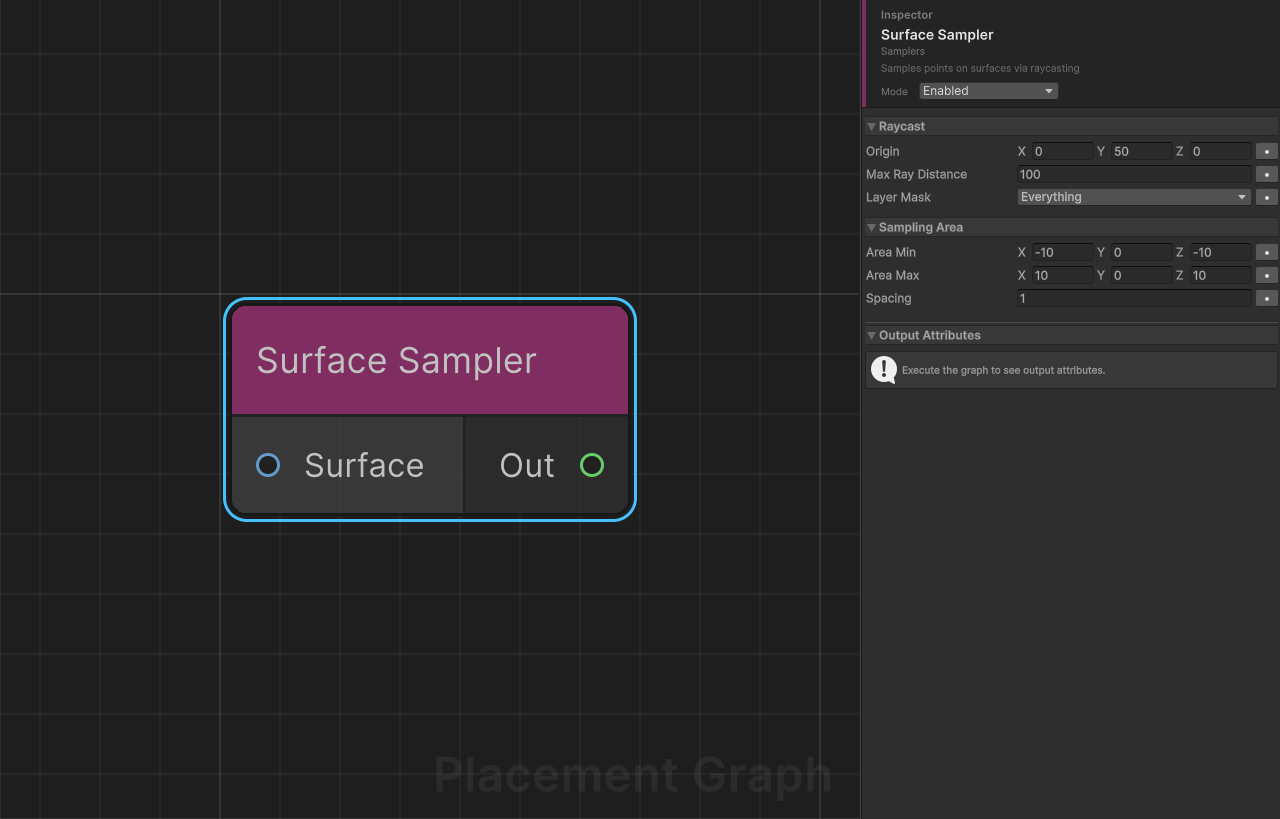
Display name: Surface Sampler
Category: Samplers
Description: Generates points on physical surfaces by casting rays downward from a uniform XZ grid. Hits are recorded as output points with normals and steepness data.
Ports
| Direction | Name | Type | Required |
|---|---|---|---|
| Input | Surface | Surface · Terrain | No |
| Output | Out | Point | — |
Settings
| Field | Type | Default | Description |
|---|---|---|---|
origin | Vector3 | (0, 50, 0) | Ray start position. Only the Y component is used as the vertical ray origin height; the X and Z of each ray origin come from the sampling grid. |
maxRayDistance | float | 100.0 | Maximum distance a ray travels before being discarded. |
layerMask | LayerMask | Everything (~0) | Physics layers the raycast can hit. |
areaMin | Vector3 | (-10, 0, -10) | Minimum XZ corner of the sampling grid, in local space relative to the PPG component. |
areaMax | Vector3 | (10, 0, 10) | Maximum XZ corner of the sampling grid, in local space relative to the PPG component. |
spacing | float | 1.0 | Distance between adjacent ray origins in the grid. Minimum enforced: 0.01. |
Output Point Attributes
Each successfully hit point has the following data written automatically:
| Attribute | Value |
|---|---|
density | 1.0 (always) |
transform | Rotation aligned to the hit surface normal (up = hit.normal). |
steepness | 1 − dot(normal, Vector3.up). Flat horizontal surfaces → 0; vertical walls → 1. |
Notes
- When the
Surfaceport is connected, only colliders from the connectedPPGSurfaceDataare hit. ThelayerMaskacts as an additional filter on top. - When
Surfaceis disconnected, raycasts hit any collider matchinglayerMask. areaMin/areaMaxare in the PPG component's local space; the node converts them to world space using the component transform before raycasting.- In Edit Mode,
Physics.SyncTransforms()is called automatically so collider positions are current even without entering Play Mode. - Grid resolution =
(areaMax - areaMin) / spacing + 1per axis. Keepspacingreasonable to avoid excessive raycast counts in large areas.
Mesh Surface Sampler
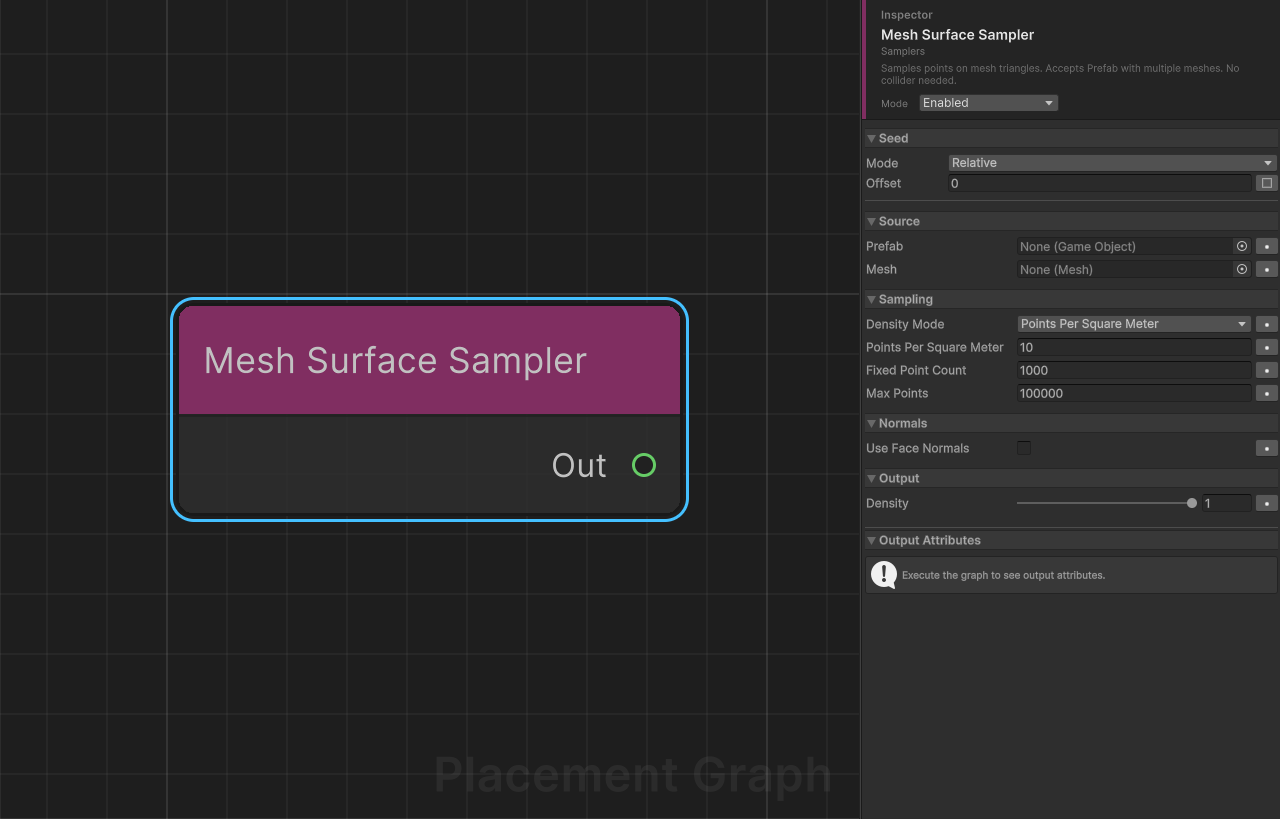
Display name: Mesh Surface Sampler
Category: Samplers
Description: Samples points directly on mesh triangle surfaces using area-weighted random distribution. Accepts a Prefab or a single Mesh asset. No colliders or raycasting needed — works with any mesh topology.
Ports
| Direction | Name | Type | Required |
|---|---|---|---|
| Output | Out | Point | — |
Settings
Source
| Field | Type | Default | Description |
|---|---|---|---|
prefab | GameObject | None | Prefab or scene GameObject to sample. All MeshFilter components in the hierarchy are collected and their meshes are sampled together as one combined surface. |
mesh | Mesh | None | Standalone mesh asset. Used as a fallback when prefab is not assigned. |
Sampling
| Field | Type | Default | Description |
|---|---|---|---|
densityMode | PPGMeshSamplerDensityMode | PointsPerSquareMeter | Determines how the total point count is calculated. |
pointsPerSquareMeter | float | 10.0 | Points placed per square metre of mesh surface area (PointsPerSquareMeter mode). Min: 0.01. |
fixedPointCount | int | 1000 | Exact total point count, regardless of mesh size (FixedCount mode). Min: 1. |
maxPoints | int | 100000 | Safety cap applied after the mode calculation. Min: 1. |
Normals
| Field | Type | Default | Description |
|---|---|---|---|
useFaceNormals | bool | false | When enabled, uses flat per-face normals instead of interpolated vertex normals. Recommended for faceted/low-poly meshes. |
Output
| Field | Type | Default | Description |
|---|---|---|---|
density | float | 1.0 | Density value assigned to every generated point. Range 0–1. |
Density Mode Reference
| Mode | Point count formula |
|---|---|
PointsPerSquareMeter | floor(totalSurfaceArea × pointsPerSquareMeter), clamped to maxPoints. |
FixedCount | fixedPointCount, clamped to maxPoints. |
Notes
- All meshes (prefab children and standalone
mesh) must have Read/Write enabled in their import settings. Non-readable meshes are skipped with a console warning. - Points are area-weighted: larger triangles receive proportionally more sample points for a uniform surface density.
- When
Prefabhas multiple child meshes, all child transforms are baked into the prefab's root space before sampling so proportions are correct. - Each output point's rotation is aligned to the sampled surface normal.
- Sampling runs in a Burst-compiled parallel job (
PPGMeshSurfaceSampleJob). - This node uses the graph Seed for reproducibility. The same seed always produces the same distribution. Per-node seed offset can be configured in the inspector to vary this node's output independently of other nodes.
Terrain Surface Sampler
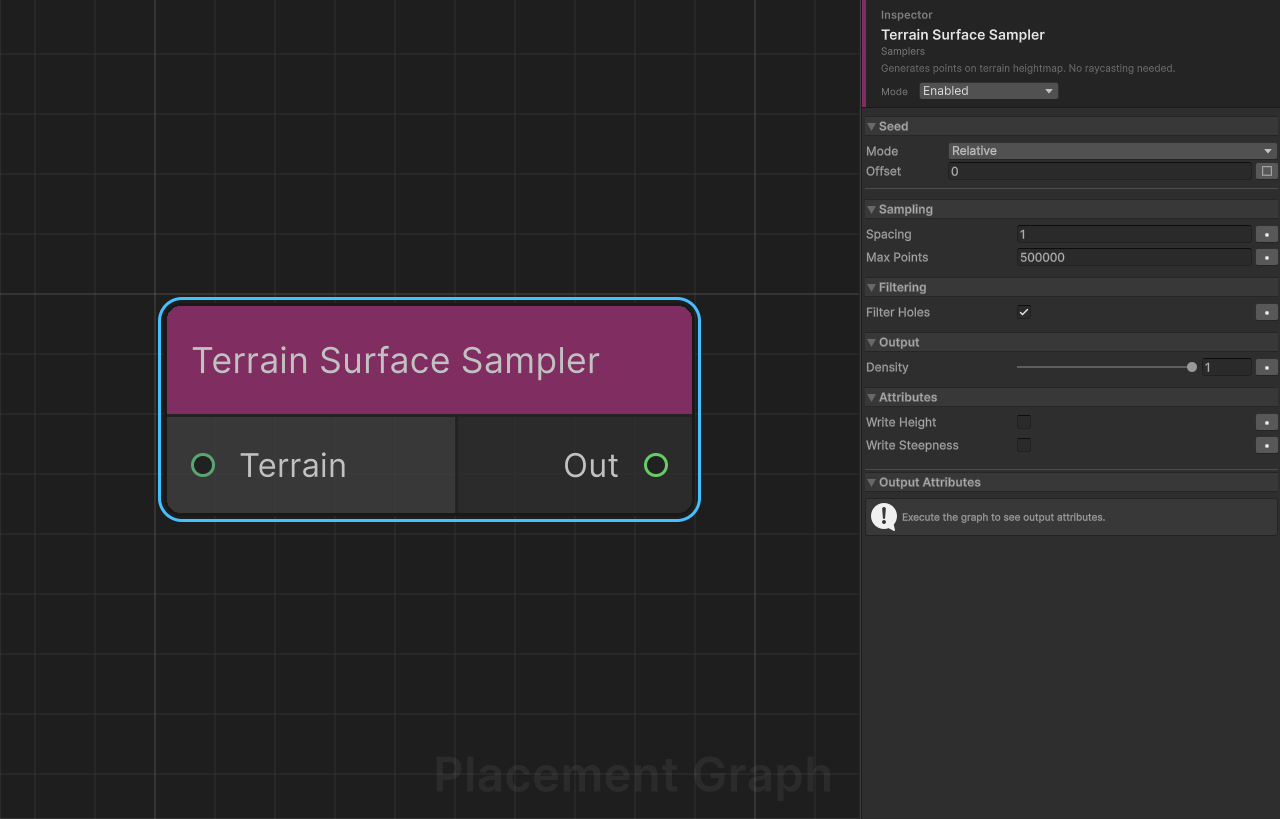
Display name: Terrain Surface Sampler
Category: Samplers
Description: Generates a grid of points directly on a Unity Terrain's heightmap surface by reading raw height data — no raycasting required. Significantly faster than Surface Sampler for large terrains. Optionally writes terrain height and steepness as metadata attributes.
Ports
| Direction | Name | Type | Required |
|---|---|---|---|
| Input | Terrain | Terrain | No |
| Output | Out | Point | — |
Settings
Sampling
| Field | Type | Default | Description |
|---|---|---|---|
spacing | float | 1.0 | Distance between adjacent sample points in world units. Minimum: 0.1. |
maxPoints | int | 500000 | Safety cap on total generated points. When the computed grid exceeds this count, step sizes are scaled up automatically to fit. Min: 1. |
Filtering
| Field | Type | Default | Description |
|---|---|---|---|
filterHoles | bool | true | When enabled, points that fall inside terrain holes are excluded from the output. |
Output
| Field | Type | Default | Description |
|---|---|---|---|
density | float | 1.0 | Initial density value for all generated points. Range 0–1. |
Attributes
| Field | Type | Default | Description |
|---|---|---|---|
writeHeight | bool | false | Write the world-space terrain height as a TerrainHeight float attribute. |
writeSteepness | bool | false | Write the terrain steepness [0, 1] as a TerrainSteepness float attribute. |
Dynamically Created Attributes
| Condition | Attribute name | Type |
|---|---|---|
writeHeight enabled | TerrainHeight | float |
writeSteepness enabled | TerrainSteepness | float |
Notes
- When the
Terrainport is connected, that terrain is used. When disconnected,Terrain.activeTerrainis used as a fallback; if no active terrain exists the node emits a warning and produces no output. - Output points are generated in the terrain's world space and then converted into the PPG component's local space.
- Each point's rotation aligns to the terrain surface normal at that sample location.
- Point positions sit exactly on the terrain surface height (no Y offset or approximation).
- This node uses the graph Seed for reproducibility. Per-node seed offset can be configured in the inspector.
- For runtime performance, prefer this node over Surface Sampler whenever the target surface is a Unity Terrain.
- For detailed terrain attribute sampling (layer weights, per-channel selection), chain Sample Terrain Attributes after this node.
Sample Terrain Attributes
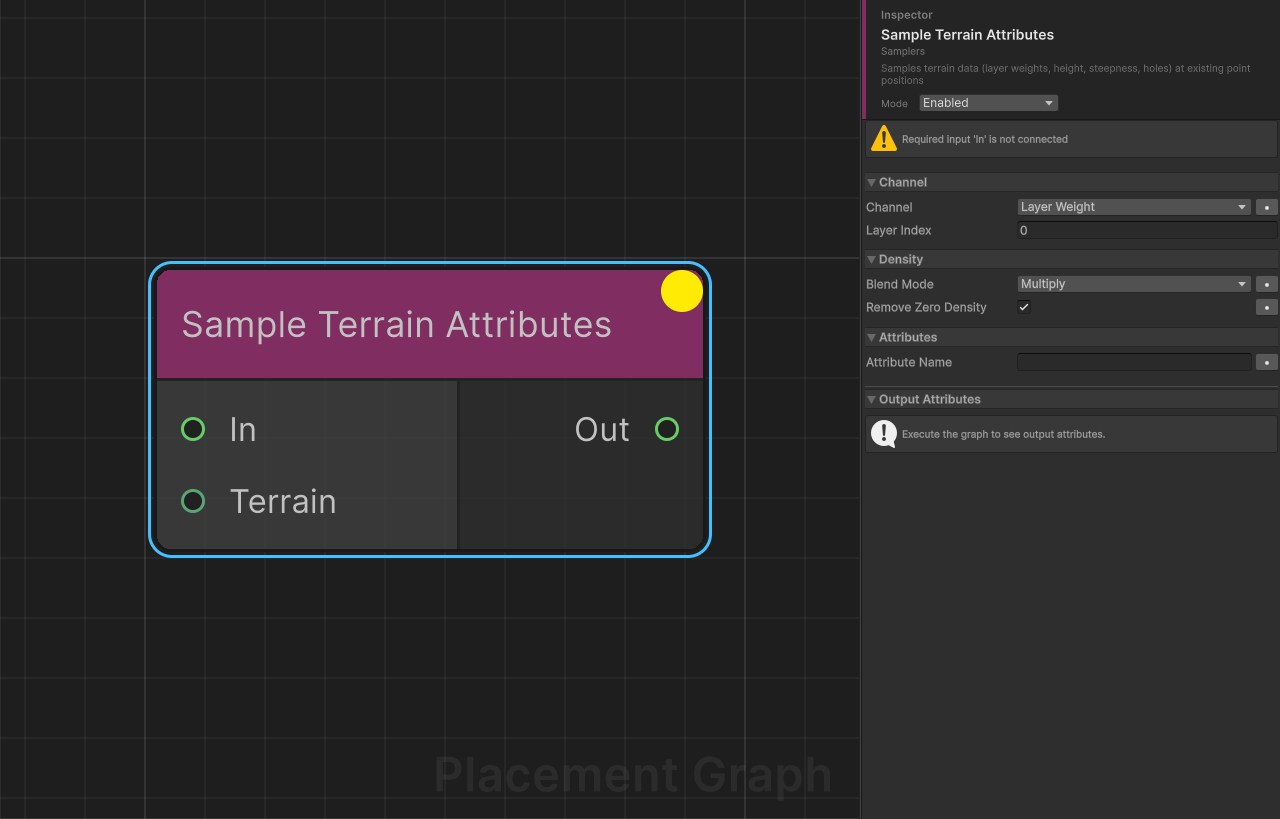
Display name: Sample Terrain Attributes
Category: Samplers
Description: Reads terrain data at each input point's XZ position and uses it to modify density or write metadata attributes. Supports layer paint weights, raw height, steepness, and terrain hole filtering.
Ports
| Direction | Name | Type | Required |
|---|---|---|---|
| Input | In | Point | Yes |
| Input | Terrain | Terrain | No |
| Output | Out | Point | — |
Settings
Channel
| Field | Type | Default | Description |
|---|---|---|---|
channel | PPGTerrainChannel | LayerWeight | Which terrain data to sample. See the Channel Reference table below. |
layerIndex | int | 0 | Zero-based index of the terrain layer to sample. LayerWeight channel only. |
Density
| Field | Type | Default | Description |
|---|---|---|---|
blendMode | DensityBlendMode | Multiply | LayerWeight channel only. Replace: sets point.density = layerWeight. Multiply: sets point.density *= layerWeight. |
removeZeroDensity | bool | true | When true, points whose density reaches 0 after sampling are removed from the output stream. |
Attributes
| Field | Type | Default | Description |
|---|---|---|---|
attributeName | string | "" | Name of the metadata attribute to write the sampled value into. Works for all channels. Float for LayerWeight/Height/Steepness, Bool for Hole. Leave empty to skip. |
Channel Reference
| Channel | Data sampled | Output effect |
|---|---|---|
LayerWeight | Weight [0, 1] of layerIndex from the splatmap | Adjusts point.density via blendMode. Writes the selected layer weight to attributeName when set. |
Height | World-space Y height of the terrain surface | Writes value to the metadata attribute named attributeName. Point positions are not modified. |
Steepness | Terrain steepness [0, 1] (0 = flat, 1 = vertical) | Writes value to point.steepness and to the metadata attribute named attributeName. |
Hole | Whether the terrain has a hole at the point position | Removes points that fall inside holes. Optionally writes a bool attribute before filtering. |
Notes
- When the
Terrainport is connected, that terrain is used. When disconnected,Terrain.activeTerrainis used as a fallback. - Layer weight sampling runs in a Burst-compiled parallel job for performance.
- The most common workflow is LayerWeight + Multiply + removeZeroDensity: points are retained only where the paint layer has weight, naturally masking placement to painted areas.
- The
Holechannel acts as a hard filter — points inside holes are always removed regardless ofremoveZeroDensity. - Multiple Sample Terrain Attributes nodes can be chained: e.g. first filter by layer, then remove holes, then write height as an attribute.
Dynamically Created Attributes
When attributeName is non-empty, the node advertises (Float for LayerWeight/Height/Steepness, Bool for Hole):
| Attribute name | Type |
|---|---|
| (attributeName) | float |
Texture Sampler
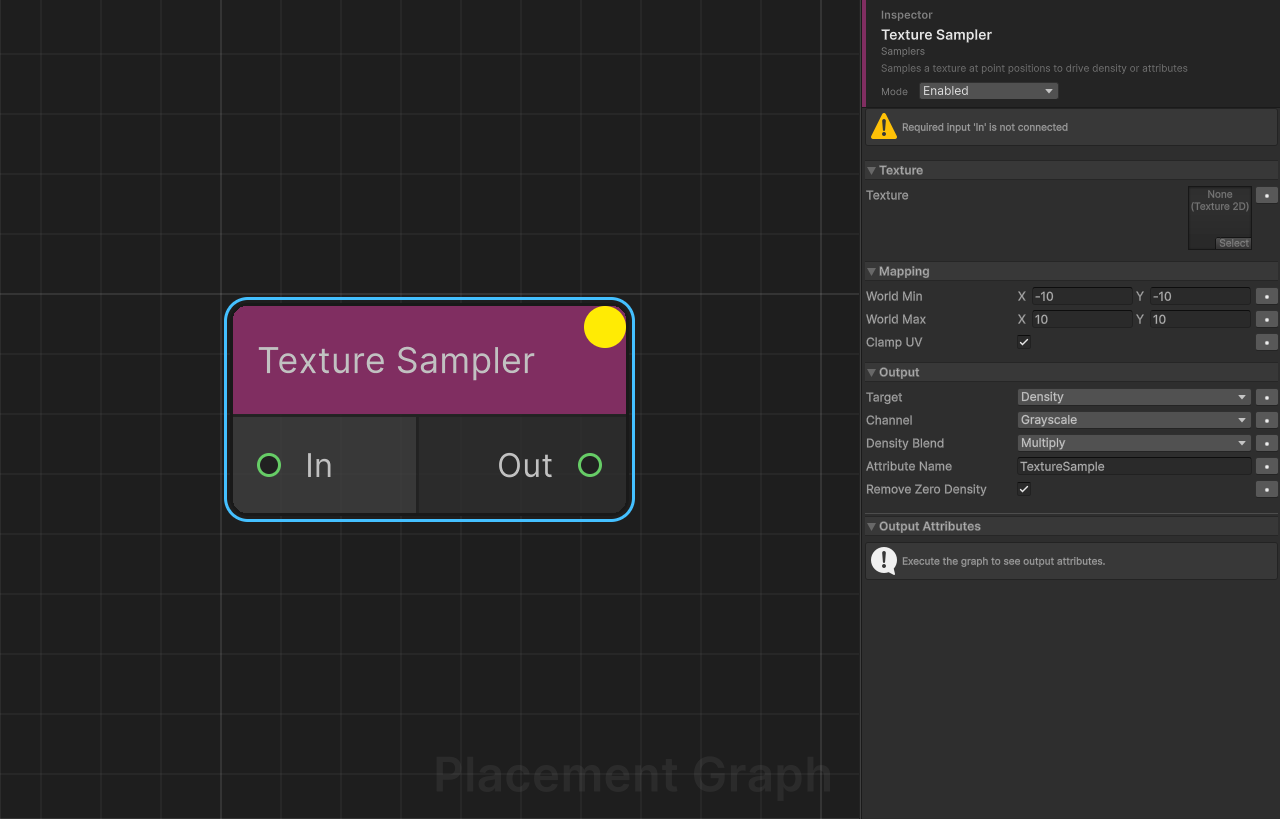
Display name: Texture Sampler
Category: Samplers
Description: Samples a Texture2D at each input point's XZ position, mapped to a world-space rectangle, and writes the result to point density, point color, or a named metadata attribute.
Ports
| Direction | Name | Type | Required |
|---|---|---|---|
| Input | In | Point | Yes |
| Output | Out | Point | — |
Settings
Texture
| Field | Type | Default | Description |
|---|---|---|---|
texture | Texture2D | None | Texture to sample. Must have Read/Write enabled in import settings. |
Mapping
| Field | Type | Default | Description |
|---|---|---|---|
worldMin | Vector2 | (-10, -10) | World-space XZ coordinate that maps to UV (0, 0). (Vector2.x → world X, Vector2.y → world Z.) |
worldMax | Vector2 | (10, 10) | World-space XZ coordinate that maps to UV (1, 1). |
clampUV | bool | true | When true, UVs outside [0, 1] are clamped to the texture edge. When false, UVs tile (wrap). |
Output
| Field | Type | Default | Description |
|---|---|---|---|
target | OutputTarget | Density | Destination for the sampled value. See Output Target Reference below. |
channel | SampleChannel | Grayscale | Color channel to extract when Target is Density or Attribute. |
densityBlend | DensityBlendMode | Multiply | Density target only. Replace: density = value. Multiply: density *= value. |
attributeName | string | "TextureSample" | Metadata attribute name used when Target is Attribute. |
removeZeroDensity | bool | true | Density target only. When true, points with density <= 0 after sampling are removed. |
Output Target Reference
| Target | Behaviour |
|---|---|
Density | Extracts channel from the pixel and writes it to point.density using densityBlend. |
Color | Writes all four RGBA channels of the pixel directly to point.color (float4). channel is ignored. |
Attribute | Extracts channel from the pixel and writes it as a float to the metadata attribute named attributeName. |
Sample Channel Reference
| Channel | Value extracted |
|---|---|
Red | color.r |
Green | color.g |
Blue | color.b |
Alpha | color.a |
Grayscale | Perceptual luminance (color.grayscale) |
Dynamically Created Attributes
When Target is Attribute and attributeName is non-empty, the node advertises:
| Attribute name | Type |
|---|---|
| (attributeName) | float |
Notes
- Sampling uses nearest-neighbour pixel lookup (
Texture2D.GetPixel). No bilinear filtering is applied. worldMin.yandworldMax.yrepresent the world Z axis, not the Unity Y axis.- The texture must have Read/Write enabled; a runtime error occurs otherwise.
- Use the
Colortarget with a gradient texture to assign per-point color data for downstream scatter nodes that support color variation.
Volume Sampler
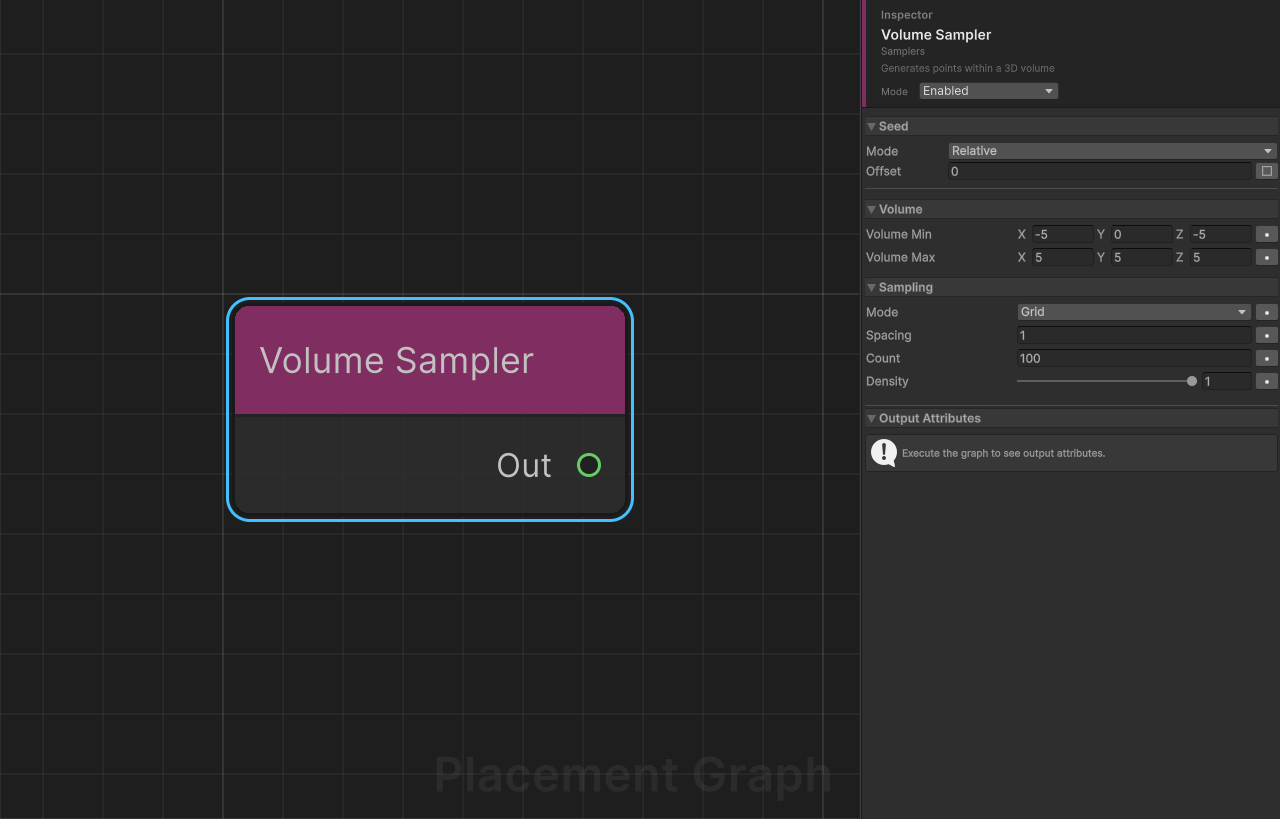
Display name: Volume Sampler
Category: Samplers
Description: Generates points within a 3D axis-aligned bounding volume using either a regular grid or a uniform random distribution. Useful for placing objects inside enclosed spaces such as caves, rooms, or volumetric effects.
Ports
| Direction | Name | Type | Required |
|---|---|---|---|
| Output | Out | Point | — |
Settings
Volume
| Field | Type | Default | Description |
|---|---|---|---|
volumeMin | Vector3 | (-5, 0, -5) | Minimum (bottom-back-left) corner of the sampling volume. |
volumeMax | Vector3 | (5, 5, 5) | Maximum (top-front-right) corner of the sampling volume. |
Sampling
| Field | Type | Default | Description |
|---|---|---|---|
mode | SampleMode | Grid | Grid: uniform 3D grid. Random: uniformly-distributed random points. |
spacing | float | 1.0 | Spacing between grid points (Grid mode only). Minimum enforced: 0.01. |
count | int | 100 | Number of random points to generate (Random mode only). Minimum: 0. |
density | float | 1.0 | Density value assigned to every generated point. Range 0–1. |
Sample Mode Reference
| Mode | Behaviour |
|---|---|
Grid | Fills the full AABB from volumeMin to volumeMax inclusive, stepping by spacing along all three axes. Point count ≈ ((vMax - vMin) / spacing + 1)³. |
Random | Places exactly count points with uniformly-random positions within the AABB. Uses the graph Seed for reproducibility. |
Notes
- Set
volumeMin.y == volumeMax.yto generate a flat 2D distribution at a fixed height (equivalent to a horizontal plane sampler). - Grid mode is deterministic and does not use the seed; Random mode uses the graph Seed. Per-node seed offset can be configured in the inspector for Random mode.
- Output points are in the PPG component's local space. If the component is moved or rotated, placement adjusts automatically.
- There is no built-in
maxPointscap for Grid mode — keepspacingreasonable to avoid generating millions of points over large volumes.